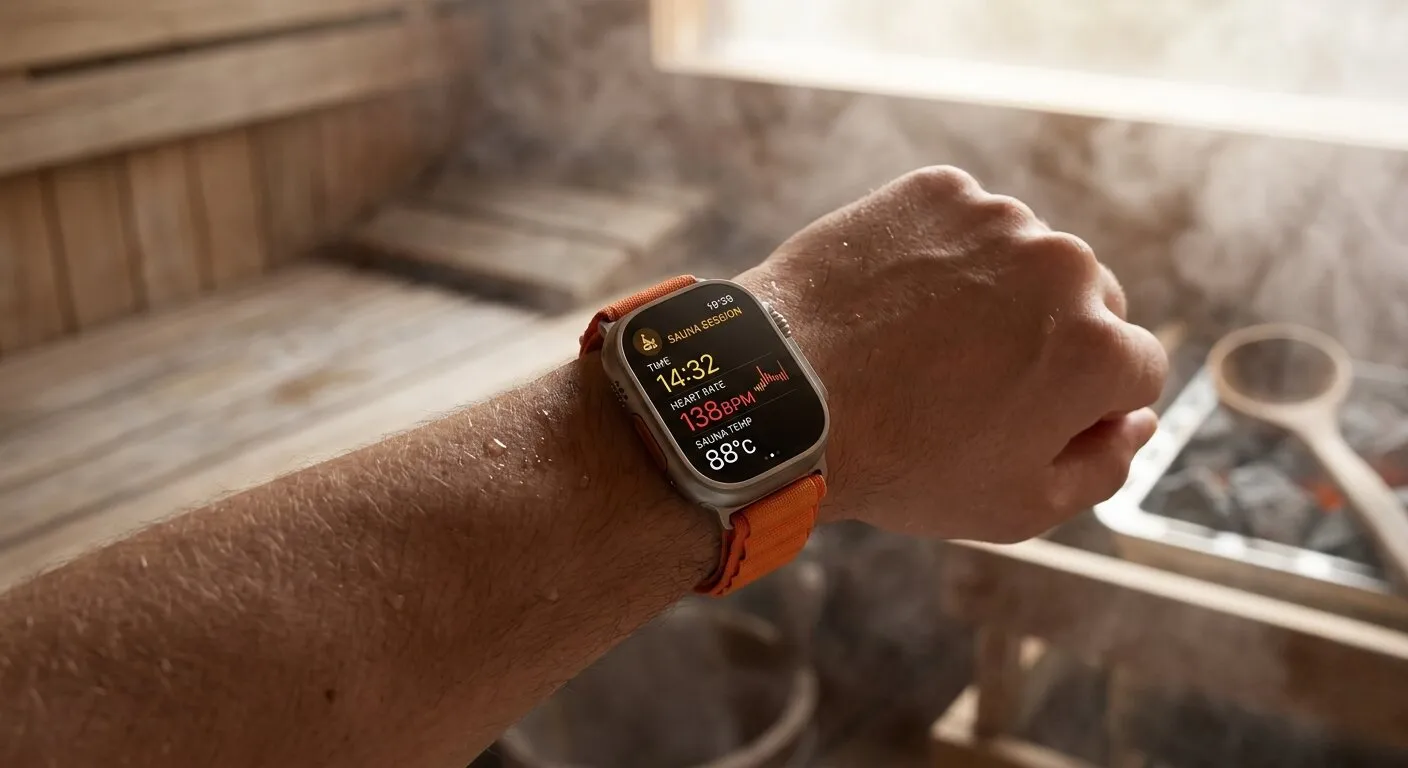
Editor’s Note: While watchOS offers extensive workout tracking, Apple has not introduced a native sauna profile due to environmental hardware limitations. This updated 2026 guide incorporates recent structural insights, critical thermal thresholds, and safe tracking alternatives for your device. We recommend reviewing these hardware limitations closely before taking any wearable into extreme heat environments.
Here is quick answer to know about Is There a Sauna Setting on Apple Watch?
| Quick Answer: Apple Watch does NOT have a built in sauna setting. However, you can create a custom “Sauna” workout in the Workout app to track your sessions. The Apple Watch Ultra 2 can handle sauna heat up to 55°C (130°F), while regular Apple Watch models should not be taken into a sauna at all. |
TL;DR (to long;did’nt read)

Apple Watch has no built in sauna setting. You can create a custom “Sauna” workout in the Workout app to track heart rate and calories. Only the Apple Watch Ultra 1 and Ultra 2 are rated for sauna use (under 55°C/130°F). Regular models like Series 8 or 9 can get damaged in the heat.
Does Apple Watch Have a Sauna Mode?

No , Apple Watch does not have a dedicated sauna setting or mode. This surprises a lot of people, especially since sauna use is linked to real heart health benefits. Apple has not added it to the Workout app by default.
The good news? You can create your own custom sauna workout in just a few taps. This lets your watch track your heart rate, calories burned, and session time , just like any other workout.
Apple officially warns against using most Apple Watch models in saunas due to heat and steam damage risks.
| Apple Watch Battery Diagnostic Tool Want to know if your Apple Watch battery is still healthy enough for sauna sessions? Use our free Battery Diagnostic Tool below to check your battery health, estimate remaining capacity, and get personalized tips for your specific model. |
Apple Watch Models & Sauna Safety

Not all Apple Watch models are built the same. Here is a simple breakdown of which ones can handle sauna heat and which ones cannot:
| Apple Watch | Max Safe Temp | Sauna OK? |
| Series 6, 7, 8, 9 | 35°C / 95°F | ❌ No |
| SE (1st & 2nd gen) | 35°C / 95°F | ❌ No |
| Ultra 1 | 55°C / 130°F | ⚠️ Low heat only |
| Ultra 2 | 55°C / 130°F | ✅ Under 130°F |
Regular models (Series 6, 7, 8, 9) are only designed to work safely up to 35°C (95°F). A normal sauna runs at 70 to 100°C (158 to 212°F) , way too hot. The Apple Watch Ultra 2 is the only model Apple officially allows in a sauna, but only at lower heat settings.
Explore more on Do You Have to Pay Monthly for an Apple Watch?
The Real Science Behind Your Apple Watch in Heat

When Different Materials React to Heat

Different materials like glass and aluminum expand at completely different rates when exposed to high sauna temperatures. This uneven expansion warps the device’s chassis, forcing open tiny structural gaps that let destructive steam sneak inside
Why Aluminum Cases Stress Out More Than Steel Ones

Aluminum expands faster than the glass screen when heated. Over time, this creates tiny gaps in the seal that protects the internal parts. Water and steam can then get inside and cause damage , even if you cannot see it happening.
Your Digital Crown Might Get Sticky

The Digital Crown is a precise mechanical part. High heat can cause small metal pieces inside it to expand and rub together. This is why some people notice their Digital Crown feels stiff or sticky after a sauna session.
Band Materials That Cannot Handle the Heat

Leather and metal link bands are the worst choice for saunas. Leather can shrink and crack. Metal links get extremely hot and can burn your skin. Fluoroelastomer (rubber like) sport bands are the safest option if you do take your watch in.
How Heat Messes With Your Health Sensors
Heart Rate Readings Go Wonky in the Heat
Your skin flushes and blood vessels widen in the heat. This changes how light passes through your skin, which is exactly how the optical heart rate sensor works. So readings can be 10 to 15 beats higher or lower than your real heart rate.
Steam vs. Dry Heat: Your Watch Notices the Difference
Steam saunas are more dangerous for Apple Watch than dry saunas. Steam carries moisture that can sneak through seals that regular water cannot. Dry heat saunas at lower temperatures are safer, but still risky for non Ultra models.
Why Water Resistance Ratings Do Not Tell the Whole Story
Steam Finds Ways That Water Cannot
A water resistance rating (like WR50M) means the watch was tested with cold water pressure. Sauna steam is hot, and hot molecules move faster and find tiny gaps much more easily. A watch that survived swimming may still let steam in.
Why Your Apple Watch Ultra Handles Heat Better
Titanium Makes All the Difference
The Science Behind Titanium’s Heat Advantage
Titanium is stronger and more stable under heat than aluminum. It expands much less when temperatures rise, which means the seals stay tighter for longer. This is the main reason Apple only rates the Ultra models for sauna use.
Components Built for Extreme Conditions
The Apple Watch Ultra was designed for extreme sports like trail running and scuba diving. Apple used stronger adhesives, tighter seals, and a sapphire crystal screen , all of which hold up much better in a hot, steamy sauna environment.
How Regular Apple Watches Protect Themselves
Your Watch Predicts Heat Before It Happens
Apple Watch has a built in thermal sensor that monitors internal temperature. When it gets too hot, the watch slows down background tasks to reduce heat generation . Crucially, this is a reactive hardware fail safe, not a specialized environment setting designed for heat.
Battery Chemistry vs. Sauna Heat
Lithium ion batteries degrade faster in high heat. A single sauna session probably will not ruin your battery, but repeated heat exposure over months can cut your battery life significantly. Heat above 45°C is particularly damaging.
The Waiting Game: Recovery Time After Thermal Shutdown
If your Apple Watch overheats and shuts down, do not try to turn it back on immediately. Let it cool down for at least 15 to 20 minutes in a room temperature space before restarting. Rushing this process can cause further damage.
How to Add a Custom Sauna Workout to Your Apple Watch

Since there is no built in sauna setting, here is how to create one yourself. This works on any Apple Watch running watchOS 10 or later:
- Open the Workout app on your Apple Watch
- Scroll all the way down and tap “Add Workout”
- Scroll down and tap “Other” (at the bottom of the list)
- Give it a name , type “Sauna” using the Digital Crown or dictation
- Set a goal if you want (time, calories, or open goal)
- Tap “Add” to save it
Now every time you enter the sauna, open the Workout app and tap your custom “Sauna” workout. Your watch will track heart rate, active calories, and time , giving you real health data from every session.
Pro Tip: Start the workout before you enter the sauna, not after. This captures the full session from the very first minute.
Settings That Actually Matter in the Sauna
Getting Your Watch Ready for the Heat
The Pre Sauna Settings Checklist
These settings help your watch perform better and last longer during heat exposure:
- Turn on Theater Mode , keeps the screen off to reduce heat from the display
- Disable Always On Display , saves battery and reduces heat generation
- Enable Water Lock ,prevents accidental taps from sweat and steam
- Turn off WiFi ,reduces background activity and heat
How to Enable Water Lock
Swipe up on your watch face to open Control Center. Tap the water drop icon. Your watch will lock the screen. To unlock it later, press and hold the Digital Crown , the watch will eject any water with speaker vibrations.
Reading Warning Signs Before It Is Too Late
Staying Smart While You Sweat
The Temperature Warning Screen
If your Apple Watch gets too hot, it shows a red thermometer icon and the message “iPhone needs to cool down.” This is a hard warning , stop the session immediately and let your watch cool down. Ignoring this warning can cause permanent damage.
Wrist Position Strategy for Better Sensor Contact
In the sauna, sweat can create a gap between your watch and skin, making the heart rate sensor less accurate. Wear your watch slightly tighter than normal and keep it on the inside of your wrist rather than the top for better contact.
The Cool Down Protocol That Prevents Damage
Why Slow Cooling Saves Your Watch
Do not take your hot Apple Watch and run it under cold water or blast it with AC. Rapid temperature changes are almost as bad as the heat itself , they cause the materials inside to contract quickly and can crack internal components.
Getting Your Sensors Back on Track
After the sauna, wait 10 minutes before checking health readings. Wipe the sensor area clean with a dry cloth. Your heart rate and blood oxygen readings will be more accurate once your body temperature starts to normalize.
Turning Sauna Sessions Into Meaningful Health Data

Critical 2026 Hardware Updates for Hot Environments
Smart Watch Structural Realities in High Heat

High heat rapidly degrades water resistant acoustic membranes and internal adhesive seals. The dynamic expansion rates of contrasting materials like glass and aluminum create structural gaps, allowing microscopic steam molecules to penetrate the housing and corrode sensitive logic boards.
The True Cost of Battery Thermal Stress

Sauna temperatures accelerate the internal chemical degradation of lithium ion cells, causing permanent capacity loss and shortened daily runtime. If your device frequently triggers the reactive red thermal warning screen, you are actively reducing its overall operational lifespan.
Optimizing External Data and Recovery Tracking

The safest method to document your heat therapy metrics is to log your sessions manually within the iOS Health app immediately after exiting. Alternatively, you can use a dedicated, heat-rated Bluetooth chest strap inside the room to transmit real time telemetry to your phone safely outside.
Tracking How Your Heart Adapts to Heat
Heart Rate Variability: The Hidden Adaptation Metric
HRV (Heart Rate Variability) shows how well your body handles stress , including heat stress. Regular sauna users often see their HRV improve over weeks, which is a sign their heart and nervous system are adapting positively to the heat.
Your Resting Heart Rate Tells the Real Story
Check your resting heart rate trend in the Health app over several weeks of regular sauna use. Most people see a gradual drop of 2 to 5 bpm. This is a sign of improved cardiovascular efficiency , similar to what you get from regular cardio exercise.
Sleep Quality: The Sauna Timing Sweet Spot
Evening Sessions: Timing Is Everything
Sauna sessions 1 to 2 hours before bed can actually improve sleep quality by raising then rapidly dropping your core body temperature Once your body begins to cool down, it alerts your internal clock that the window for deep sleep has opened. Avoid sessions right before bed though , you need time to cool down.
Core Temperature Recovery: The Sleep Connection
Your Apple Watch tracks sleep stages. Compare your deep sleep percentage on nights after sauna sessions versus nights without. Many people find noticeably more deep sleep after a well timed evening sauna , your watch data will confirm this.
Weekend vs. Weekday Stress Response Patterns
Use your Apple Watch data to compare heart rate during sauna sessions on weekdays versus weekends. If weekday sessions show a higher peak heart rate at the same temperature, your body is more stressed during the work week , useful data for managing recovery.
Best Third Party Sauna Apps for Apple Watch
Since Apple does not have a native sauna mode, these apps fill the gap perfectly:
- Sauna Tracker , tracks sessions, heart rate, and calories. Free on the App Store.
- Saunafy , designed for both sauna and cold plunge tracking. Shows HRV trends over time.
- GoPolar , focuses on sauna + cold contrast therapy with detailed health analytics.
All three apps work with Apple Health, so your data syncs automatically to the Health app on your iPhone. You can view trends, export data, and share reports with your doctor or trainer.
Why HETKI’s Environment is the Ideal Choice for Tech Focused Recovery.”

If you are serious about tracking your sauna health data, the sauna environment itself matters. HETKI saunas are designed with modern wellness users in mind , clean layouts without sharp edges or clutter that could bump your watch, and temperature controls that let you stay within the Apple Watch Ultra safe range.
Keeping sauna temperatures at or below 55°C (130°F) is key for Ultra users. HETKI’s precise temperature controls make it easy to stay in that safe zone while still getting the full cardiovascular and recovery benefits of regular heat exposure.
Final Thoughts
Apple Watch does not have a built in sauna setting, but that does not mean you are stuck. Creating a custom Sauna workout takes two minutes and gives you real health data from every session. If you own an Apple Watch Ultra 2, you have the most sauna safe option Apple makes.
For everyone else , Series 8, 9, SE , the safest move is to leave your watch outside the sauna and check your data before and after. Your watch health is worth more than a few extra minutes of in session tracking.
Bottom line: Use the custom workout trick, protect your watch, and let your data show you the real benefits of regular sauna use over time.
Author’s Note: As a wearable technology analyst, I have tracked Apple Watch durability across generations, including the newer Apple Watch Ultra 2. Heat and steam remain the primary silent killers of liquid damage protection seals in consumer electronics. This update provides actionable workarounds to protect your hardware investment while optimizing your cardiovascular recovery data.