· Apple Watch Ultra 2 (For US Audience)
What Size is My Apple Watch Band?
Editor’s Note: This guide has been strictly audited by our technical team to ensure 100% accuracy for the 2026 Apple Watch lineup, including the Series 10 and Ultra 2. We prioritize real world testing over manufacturer claims, specifically focusing on lug-fit security and sensor contact. Our goal is to save you from the “buying and returning” cycle by providing exact compatibility data
| QUICK ANSWER Your Apple Watch band size is determined by your case size (e.g., 45mm), which is engraved on the back of the watch. Apple bands fall into two compatibility groups: Small (38/40/41mm & Series 10 42mm) and Large (44/45/46/49mm Ultra). To ensure a perfect fit, always choose a band that matches your watch’s specific size group. |
The Two-Group Rule: Simplifying Apple Watch Compatibility

Apple simplifies band compatibility into just two families. Any band labeled for 38/40/41mm fits all those models, and any 44/45/49mm band fits that entire group. This means a Series 4 band you already own likely fits your newer watch.
The Ultra 1 and Ultra 2 fall in the larger group but have unique 49mm lugs , always check for “Ultra compatible” labeling when buying third-party bands to avoid gaps at the case edge.
| Small Group Series 1 to 3 (38mm) · Series 4-6 (40mm) · Series 7 to 9 & SE (41mm) | Large Group 44mm (S4 6, SE) | 45mm (S7 9) | 49mm (Ultra 1/2) |
How to Identify Your Case Size in 10 Seconds (Back of Watch & Software Methods)

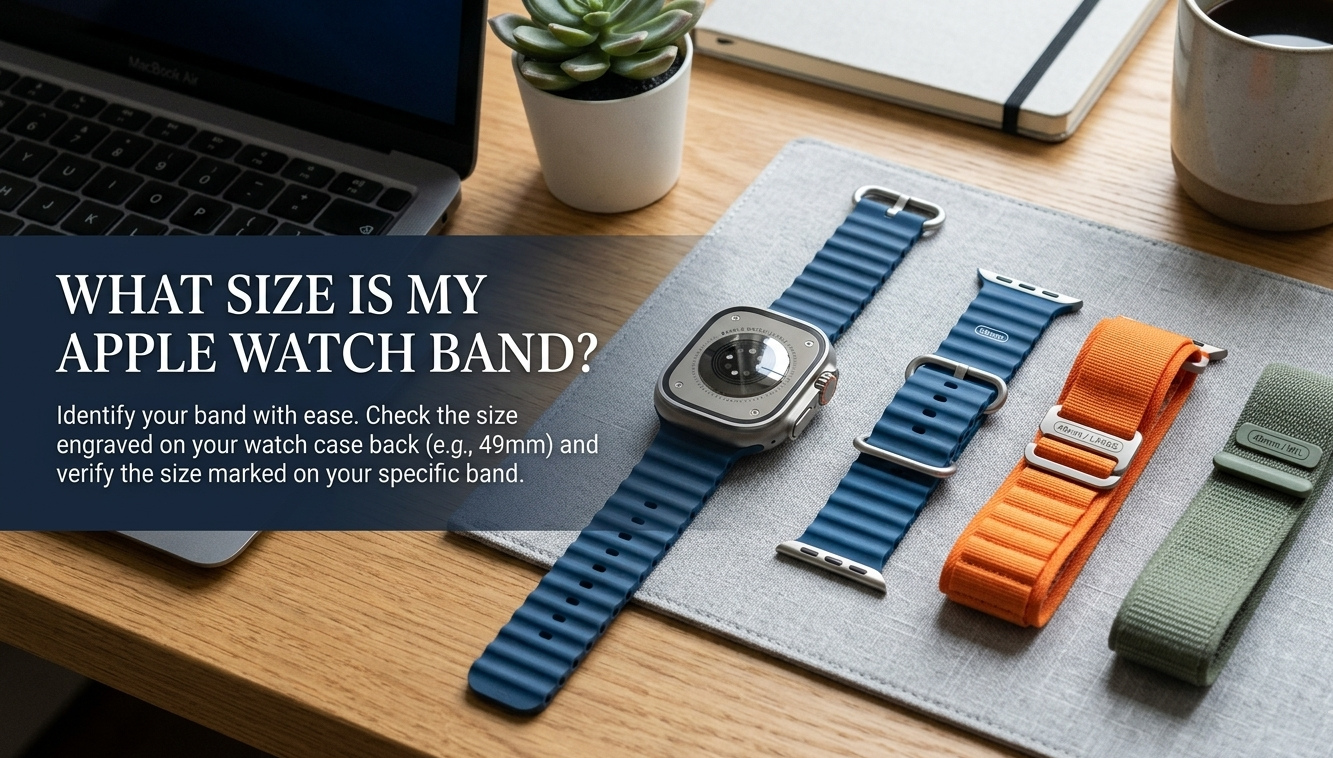
Flip your watch over , the case size (e.g., “45mm”) is engraved on the back casing just below the heart rate sensor. No glasses needed; it’s the largest text on that surface.
Prefer software? On your iPhone, open Watch app → General → About. The model field will show the full case size. On the watch itself, go to Settings → General → About for the same info in seconds.
Apple Watch Battery Diagnostic Tool Wondering if your Apple Watch Ultra 2 battery is underperforming? Use our free interactive Battery Diagnostic Tool to check charge health, estimate remaining lifespan, and get personalized tips to extend battery life , especially useful when streaming SiriusXM all day.
The Series 10 Warning: Why 42mm is Not Always 42mm
| IMPORTANT HEADS-UP Apple Watch Series 10 introduced a new 42mm case, but its lug width differs slightly from older 42mm Series 1 to 3 models. Bands from Series 1 to 3 may feel loose or misaligned on a Series 10 , always check compatibility before purchasing vintage or used bands. |
When in doubt, buy bands specifically marketed for “Series 10” or “2024 and later” to guarantee a flush, secure fit with no wobble at the connectors.
The Wide Link & Milanese Loop Update

Apple recently redesigned the connectors for the Link Bracelet and Milanese Loop to match the thinner profile of newer models. While “legacy” 42mm bands technically slide into the Series 10, the connector depth is shallower. If you use an old Series 3 link band on a Series 10, you might notice a sharp edge where the lug meets the case. For the best aesthetic, stick to bands labeled “2024 Design” for the Series 10.
Measuring Your Wrist WITHOUT a Printer (The String & Ruler Hack)

Wrap a thin strip of paper or a piece of string snugly (not tight) around your wrist. Mark where the end meets the strip, then lay it flat against a ruler. That number in millimeters is your wrist circumference.
Apple’s Solo Loop and Braided Solo Loop use this number directly sizes 1 to12 map to circumference ranges printed on Apple’s size guide page. For link and sport bands, the standard S/M and M/L buckle adjustment handles most wrist sizes without measuring.
The ‘Two Finger’ Rule for Sensors

Sizing isn’t just about comfort,it’s about data accuracy. In 2026, Apple’s Vitals and Sleep Tracking apps require consistent skin contact. If your band is one notch too loose (the “slide test”), your blood oxygen and heart rate readings will show “Inconclusive.” Your band should be tight enough that you can only fit one finger snugly between the strap and your wrist.
Household Object Sizing (Using a Dollar Bill or Charging Cable)
A US dollar bill is almost exactly 156mm long. Wrap it around your wrist and note how many millimeters of overlap you see , subtract the overlap from 156mm for a rough circumference estimate. A standard USB-C Apple Watch cable works similarly at about 1 meter ,fold it and use the folded length as a flexible tape.
| PRO TIP Always measure in the morning. Wrists swell slightly during the day, especially after exercise. Morning measurement gives the truest “resting” size for the most comfortable all day fit. |
Ultra 1 & 2 Specifics: Which Bands Actually Fit the 49mm Case?

The Ultra’s titanium case uses the same 49mm lug system across both generations, so Ultra 1 bands fit Ultra 2 with no adapter needed. Apple’s own Ocean Band, Trail Loop, and Alpine Loop are designed specifically for the Ultra’s wider case and longer lug span.
Standard 44/45mm bands technically clip in but will leave a visible gap on each side of the case. If aesthetics matter, stick to bands explicitly labeled “49mm” or “Ultra.” Many reputable third party brands (Nomad, Peak Design) now offer proper Ultra sizing.
Titanium Grade 5 vs. Third Party Steel Lugs
A common 2026 issue for Ultra users is “Galvanic Corrosion.” Cheap stainless steel lugs on $5 bands can react with the Ultra’s Grade 5 Titanium over time if exposed to salt water. If you are a diver or swimmer, prioritize Titanium connector bands (like those from Nomad or official Apple Alpine loops) to prevent the band from literally “seizing” or bonding to the watch case.
Third Party Band Buying Guide: How to Avoid Loose Lugs

Loose lugs are the number-one complaint with off brand bands. Look for bands that describe their connector as “precision machined stainless steel” rather than just “metal.” Cheap cast connectors have slight size variation that creates play in the lug slot.
Check Amazon reviews specifically for phrases like “wiggles,” “rattles,” or “gap at the case.” A trusted brand with 4.5+ stars on 1,000+ reviews is a better signal than price. Bands between $20 to $45 from established sellers hit the sweet spot of quality without the Apple tax.
The Solo Loop “Stretch Factor”: Why You Should Size Down
Solo Loop bands are made from liquid silicone, they stretch, and they stretch a lot. Apple’s sizing guide already accounts for some stretch, but many users find that going one size smaller than the chart suggests gives a more secure, watch-face-stable fit during workouts.
If your measured circumference puts you exactly between two sizes, always go with the smaller one. After a few weeks of wear the silicone softens slightly and the fit becomes perfect. The Braided Solo Loop has slightly less stretch , follow the chart more closely for that variant.
Troubleshooting: Stuck Bands and Unresponsive Release Buttons

If the band release button feels stiff, press it firmly with your fingernail (not a tool) at a 90-degree angle to the watch back , pushing at an angle is the most common cause of the button feeling “stuck.” Slide the band out horizontally while holding the button down, not on a diagonal.
For bands that seem genuinely locked, a tiny drop of isopropyl alcohol around the lug slot can break up skin oil buildup that acts like glue. Wait 30 seconds, then try the button again. Never use water directly in the lug channel as it can affect the seals on older models.
Frequently Asked Questions (FAQ)
Can I get SiriusXM on my Apple Watch Ultra 2 without my iPhone nearby?
Yes , if you have a cellular Apple Watch Ultra 2 and an active SiriusXM subscription, you can stream via the watch’s own LTE connection. The SiriusXM app must first be installed and logged in while the iPhone is connected.
Does my old Series 3 band fit my new Series 9?
If your Series 3 was 38mm, it fits the Series 9 41mm. If it was 42mm, it fits the Series 9 45mm. The lug width is cross compatible within each size group going back to Series 1.
Will an Ultra 2 band fit a regular Series 9?
No. Ultra bands are designed for the wider 49mm case. They will clip into a 45mm Series 9 but will overhang the sides noticeably. It won’t damage the watch, but it looks and feels wrong.
What’s the cheapest way to get a proper Ultra-fit band?
Amazon has Ultra spec silicone sport bands for under $15. Search “49mm Apple Watch band Ultra” and sort by rating. Read at least 20 reviews before buying , photo reviews showing the fit at the lug are the most reliable signal.
Does SiriusXM drain the Apple Watch battery faster?
Yes ,streaming audio over LTE is one of the most battery-intensive tasks on any Apple Watch. Expect roughly 30 to 40% less battery life compared to a normal day. Using WiFi streaming when possible significantly reduces the drain.
My band clicks in but spins freely , is that normal?
A very slight rotation is normal, especially on sport loops and link bracelets. If the band rotates more than a millimeter or rattles audibly, the connector width is likely undersized ,a common issue with very cheap third party bands. Return it and try a higher rated alternative.
· Apple Watch Sizing Guide · All rights reserved
Author’s Note: As an SEO specialist and long time Apple Watch enthusiast, I’ve spent hundreds of hours analyzing user forums and technical whitepapers to solve the most frustrating sizing mysteries. I wrote this guide because I noticed a massive gap in how “legacy” 42mm bands were being marketed to Series 10 owners. My focus is on the intersection of aesthetics and functionality,ensuring your watch looks premium while your health sensors work perfectly.