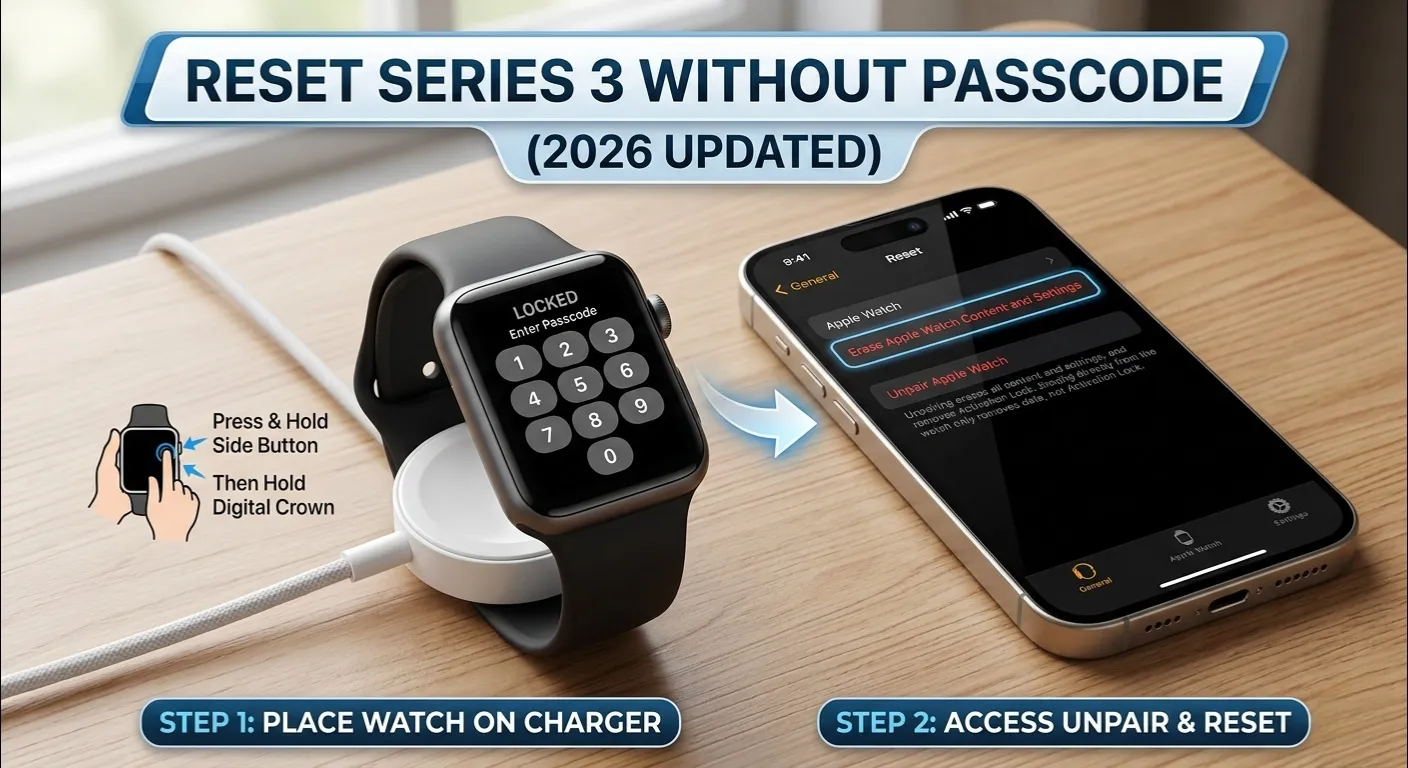
Forgot your Apple Watch Series 3 passcode? Whether you bought it second-hand, got locked out after a long trip, or your child entered the wrong code too many times ,every working fix for 2026 is below, including the Series 3 specific storage bug that causes most resets to fail halfway through.
Here is quick answer to know “How to Reset Apple Watch Series 3 Without Passcode”?
| Quick Answer (2 Minutes) 1.Put the watch on its magnetic charger (battery must be above 10%). 2.Hold the Side Button until the Power Off slider appears. 3.Press and hold the Digital Crown (do not swipe the slider). Hold for 5 to 7 seconds. 4.Tap Erase All Content and Settings → confirm. Done in 1 to 3 minutes. All data will be erased. The charger must stay connected throughout. |
Choose Your Reset Method

Pick the method that fits your situation. All four are covered step by step below.
| Method | Needs iPhone? | Backup? | Works if Locked? | Best For |
| Charger & Crown (Hard Reset) | No | No | Yes | Forgot passcode, no iPhone nearby |
| Paired iPhone (Watch App) | Yes | Yes (if possible) | No , watch must be unlocked | Safe reset, saves data |
| Remote Wipe (iCloud / Find My) | No (web browser) | No | Yes | eBay / second-hand locked watch |
| DFU Mode | Yes (Mac/PC) | No | Yes | Boot loop, erase keeps failing |
Before you start, check your battery , a weak cell is the #1 reason a Series 3 reset stalls. Use our free Apple Watch Battery Diagnostic Tool if you are unsure.
Method 1: Charger & Crown Hard Reset (No iPhone Needed)

This works directly on the watch ,no iPhone, no computer needed. It is the fastest option when you are away from home.
- Put the watch on its charger. The green charging icon must appear on screen.
- Hold the Side Button (the oval button on the right edge) for 3 to 4 seconds until the Power Off slider appears.
- Release the Side Button. Do not swipe the slider , that only turns the watch off.
- Press and hold the Digital Crown for 5 to 7 seconds. The screen will flash and show ‘Erase All Content and Settings.’
- Tap Erase and confirm. Leave your device docked on the magnetic connector until the Apple logo cycle completes and the ‘Welcome’ setup screen appears.
| Digital Crown jammed? Clean around it with a dry toothbrush and rotate it firmly a few times. If it is completely broken, skip to Method 3 (iCloud remote wipe) , it requires no physical buttons. |
Method 2: Reset via Paired iPhone (Saves a Backup)

If your watch is still paired to your iPhone and your iPhone is unlocked (the watch does not need to be), this method attempts a final iCloud backup before erasing. See also: how to unpair Apple Watch from an old phone.
- Open the Watch app on your iPhone.
- Go to My Watch → General → Reset → Erase Apple Watch Content and Settings.
- Enter your iPhone passcode if prompted, then tap Erase All.
Method 3: Remote Wipe via iCloud (No iPhone Required)

Bought this watch on eBay with someone else’s passcode? The original owner must also remove it from their iCloud account , erasing alone is not enough. Until they do, you will hit Activation Lock after the reset.
- Go to icloud.com on any browser and sign in with the Apple ID paired to the watch.
- Click Find My → All Devices → select your Apple Watch.
- Click Erase Apple Watch. The watch resets when it next connects to WiFi.
The Series 3 ‘Not Enough Space’ Trap (Critical Fix)

This is the #1 problem after a Series 3 reset , and almost no other guide covers it. After the reset, the watch asks to install a software update. Because Series 3 only has 8GB of storage, the update fails with ‘Not Enough Space’ and the watch gets stuck in a loop.
The Fix: Set Up as New Watch
- On the post-reset setup screen, tap Set Up as New Apple Watch , not ‘Restore from Backup.’
- Complete pairing without restoring a backup. This frees up the storage the update needs.
- After the update installs, manually re-add only the apps you actually use.
| Pro Tip: Before resetting, go to Watch app → General → Storage and delete synced music, podcasts, or photos. Freeing even 500MB can prevent the update loop entirely. |
Passcode Lock vs. Activation Lock , Know the Difference

| Passcode Lock , a 4 or 6 digit code set on the watch. Erasing the watch removes this completely. ✅ Activation Lock — tied to an Apple ID. Erasing the watch does NOT remove this. The original owner must go to icloud.com → Find My → Remove from Account. ❌ |
Lost your watch along with the passcode issue? See: What to Do If You Lost Your Apple Watch.
[2026 Update] iOS 18+ Security Delay Warning
![[2026 Update] iOS 18+ Security Delay Warning](https://lh3.googleusercontent.com/pw/AP1GczN1MU5DJTnQgge8GjpRWMWWLVF1wYLtRgKknd-k8tToO9bS7PdbfAXoKI3C89QaMeaa2mMwKihtnQJzpZ1BCcfpiQs4VpYCPLnbGodU1l7oJknyTnI=w1920-h1080-rw-nu-e365)
| Expert Tip: Stolen Device Protection iOS 18’s Stolen Device Protection adds a 1 hour security delay to Apple Watch resets if you are NOT at a familiar location (home, work). If your iPhone prompts you to wait and verify Face ID again, go home first , this delay cannot be bypassed. This delay is a deliberate security protocol, not a technical malfunction. |
Troubleshooting: When the Erase Fails

Force Restart First
Hold Side Button + Digital Crown together for 10 seconds. Release when the Apple logo appears. This is just a restart try the erase again after.
Method 4: DFU Mode (Last Resort)

Use DFU only if the watch is stuck in a boot loop and will not erase normally.
- Keep the watch on its charger. Connect your iPhone to a Mac (Finder) or PC (iTunes).
- Hold Side Button + Digital Crown together for exactly 10 seconds.
- Release the Side Button only. Keep holding the Digital Crown for 5 more seconds.
- Screen goes black. In Finder/iTunes, click Restore Apple Watch when prompted.
FAQ
Will this delete my fitness history?
Yes. Some data may survive in the iPhone Health app if sync was active before the watch was locked.
Can I reset without losing data?
No , there is no passcode bypass. If data was synced to iCloud, some may restore afterward.
Watch shows ‘Hello’ then asks for Apple ID after reset , what now?
That is Activation Lock. The original owner must remove it at icloud.com → Find My. You cannot bypass it. See: What to Do Before You Sell Your Apple Watch.
Does Series 3 still get updates in 2026?
Series 3 has reached end of software support and cannot run watchOS 11+. It will run the last watchOS version Apple released for it.
More Apple Watch Guides
| Final Thoughts The Charger & Crown Hard Reset works for most Series 3 situations. If you hit ‘Not Enough Space’ after reset, always choose Set Up as New Watch. If you see Activation Lock , that is a separate issue only the original owner can fix via iCloud. Still stuck? Check the related guides above. |